EraseLab v3.1 — Windows 11 Supported
Reliable Data Eraser & Secure Disk Wiper Software
- Permanently erase data — making recovery completely impossible.
- Shred files, wipe entire drives, and erase deleted data traces.
- Military & government standards: DoD 5220.22-M, Gutmann, NIST 800-88.
- Three flexible erasure modes to cover every scenario.
Works on:
Windows
Mac
⬇ Free Download for Windows
30-day money-back guarantee
Windows 11 / 10 / 8.1 / 7
Military-Grade Data Erasure
Erasing — Pass 2/373%
Data overwritten beyond recovery · DoD 5220.22-M
8 Years
of data erasure experience
500K+
users in 120+ countries
35 Passes
maximum erasure depth (Gutmann)
100%
safe & easy-to-use eraser
Why It Matters
Wipe Your Sensitive Data
Before Selling or Donating a Device
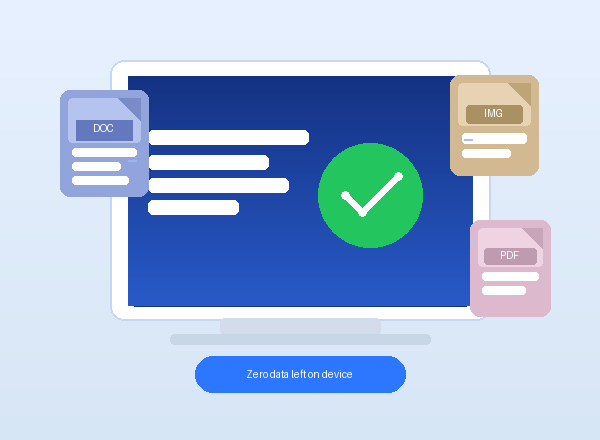
Permanently erase sensitive files, folders, external drives, and deleted data traces with flexible wiping methods.
The Hidden Risk
Did You Know Deleted & Formatted
Data Can Still Be Recovered?
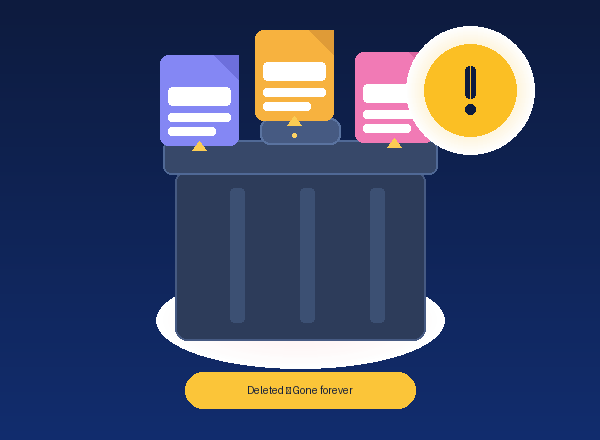
Most users believe deleted or formatted data is gone for good. In reality, data remains on your disk and can be fully recovered using widely available recovery tools — in minutes. Emptying the Recycle Bin or quick-formatting is simply not enough.
The Solution
Permanently Destroy Data With
EraseLab — No Recovery Possible
This product uses internationally certified military and government-grade erasure algorithms to overwrite every bit of data on your device multiple times. Once erased, your data cannot be recovered by any tool, service, or method.
All-in-One Erasure Suite
Comprehensive Tools for Every Erasure Need
From selective file shredding to full disk sanitization and privacy cleanup.
Erase Files / Folders
Selectively shred chosen files and folders from any drive — instantly beyond recovery.
Wipe Entire Drive
Completely wipe a disk partition or full storage device, erasing all existing data.
Wipe Free Space
Sanitize unused disk space to erase deleted data without touching live files.
Disk Health Check
Detect and repair logical errors on your hard drive before or after erasure.
Internet Privacy Cleaner
Erase browsing history, cookies, caches, and saved passwords permanently.
App Uninstaller
Fully remove unwanted programs including all registry entries and caches.
Why EraseLab
Secure, Powerful and Easy to Use
Professional-grade data sanitization in one clean, simple interface.
100% Safe Eraser
No damage to drives. Will not shorten SSD lifespan. Pre-erase review included.
Detailed Erasure Reports
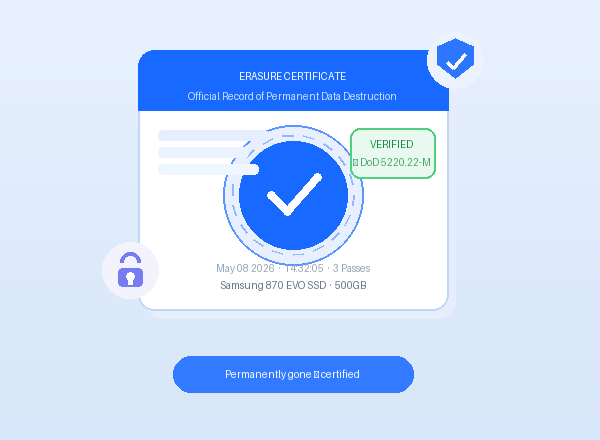
Tamper-proof PDF certificates for compliance, GDPR, and audit trails.
Certified Standards
DoD 5220.22-M, Gutmann 35-pass, NIST 800-88, HMG IS5 and 7 more.
All Device Types
HDD, SSD, NVMe, USB, SD cards, external drives, servers — all covered.
Step-by-Step Guide
How to Use EraseLab
Simple 4-step process — anyone can permanently erase data in minutes.
1
Select Target Drive
Connect your storage device. EraseLab auto-detects all HDD, SSD, USB, and external drives instantly.
2
Choose Erasure Method
Pick from 10+ certified standards. DoD 5220.22-M recommended. Gutmann (35-pass) for maximum security.
3
Start Secure Erase
Click Start Erase — overwrites every sector. Real-time progress is shown throughout the process.
4
Get Erasure Certificate
Download your certified PDF report — ready for compliance, GDPR, or audit documentation.
EraseLab — Select Drive
Samsung 870 EVO SSD
500 GB · C:\ System
Kingston USB 3.0
64 GB · Removable
SD Card
32 GB · Removable
Step 1 — Select the drive to erase
EraseLab — Choose Method
DoD 5220.22-M
US Military Standard
Gutmann
Maximum security
NIST 800-88
Modern SSD standard
Step 2 — Pick your erasure standard
EraseLab — Erasing...
🗑 Erasing in Progress...
Pass 2 of 3 — Overwriting68%
Est. 5 min 14 sec remaining · Samsung 870 EVO
✅ Pass 1 complete — data overwritten successfully
Step 3 — Erasure running in real-time
EraseLab — Complete
🛡 Data permanently erased — unrecoverable by any method
Step 4 — Download your erasure certificate
Supported Algorithms
10+ International Erasure Standards
US Military
DoD 5220.22-M
3 passes
Maximum
Gutmann
35 passes
NIST
NIST 800-88
1 pass
UK Gov
HMG IS5
3 passes
Russian
GOST R 50739
2 passes
User Feedback
Trusted by 500,000+ Users Worldwide
★★★★★
"Before selling my old laptop, I ran EraseLab on all partitions. Tested with professional recovery software after — absolutely nothing found. Every file was permanently gone. I felt completely safe handing the device over. A must-have tool for anyone upgrading their computer."
JA
James K.
42 | IT Manager
★★★★★
"Our company decommissions 20–30 drives every quarter. EraseLab's batch wipe mode saved us hours of work. The certified PDF reports are perfect for our compliance audits. Our legal team was thrilled — this is now standard procedure in our IT department."
SA
Sarah R.
35 | Data Security Lead
★★★★★
"I was donating my old PC to a school and wanted to make sure no personal files remained. EraseLab made the process incredibly simple — four steps, done in 20 minutes. The erasure certificate gave me full confidence the data was truly gone. Highly recommended."
MI
Mike L.
51 | Systems Administrator
★★★★★
"As a freelance accountant, I handle sensitive client financial data daily. When I upgraded my SSD, I was terrified about leaving data traces. EraseLab wiped everything using the DoD standard. I verified with a recovery tool afterward — zero results. My clients privacy is fully protected."
DI
Diana W.
38 | Freelance Accountant
★★★★★
"I run a small repair shop and customers often leave old drives with us. EraseLab lets me wipe them cleanly before returning or recycling. The interface is so straightforward even my non-technical staff can use it. The certificate feature is a real bonus for our service records."
TO
Tom C.
29 | Repair Shop Owner
★★★★★
"I am a retiree who sold my old desktop online. My son suggested EraseLab to wipe the hard drive first. I was worried it would be too technical, but the steps were crystal clear. It felt like a proper professional tool but completely approachable. Peace of mind at its best."
BA
Barbara M.
67 | Retiree
Q & A
Frequently Asked Questions
Is data erased by EraseLab truly unrecoverable?
Yes. EraseLab overwrites every sector of your drive using certified algorithms (DoD 5220.22-M, Gutmann, NIST 800-88). Once erased, the data cannot be recovered by any software, hardware, or forensic method. We verify this with a tamper-proof erasure certificate.
Does EraseLab support SSD drives?
Yes. EraseLab fully supports SSD, NVMe, HDD, USB flash drives, SD cards, and external hard drives. For SSDs, EraseLab uses NIST 800-88 Purge and ATA Secure Erase standards, which are specifically designed for flash storage without shortening the drive lifespan.
Can I erase my Windows system drive (C:\)?
You can erase the system drive using EraseLab's bootable media feature. Create a bootable USB from within the app, restart your computer from it, and then erase the C: drive completely — including Windows itself. This is ideal when preparing a PC for sale or disposal.
What is included in the erasure certificate?
The erasure certificate is a tamper-proof PDF report containing: drive model and serial number, erasure standard used, number of passes completed, start and end time, file size erased, and a verification hash. It is accepted for GDPR compliance, IT audits, and corporate data governance.
Is there a free version available?
Yes. EraseLab offers a free trial that lets you erase up to 500MB of data per session and preview all features. To erase entire drives, wipe free space, or generate erasure certificates, upgrade to the full version — available as a one-time lifetime purchase.
Which erasure standards does EraseLab support?
EraseLab supports 10+ internationally certified standards including: DoD 5220.22-M (US Military, 3 passes), Gutmann (35 passes, maximum security), NIST 800-88 (modern SSD standard), HMG IS5 (UK Government), GOST R 50739 (Russian standard), and more. You can select the standard that matches your compliance requirements.
Start Erasing Your Data Securely Today
Join 500,000+ users who trust EraseLab to protect their privacy.
Free Download
30-day money-back guarantee ·
Secure checkout